Vim Color Scheme: Hemisu
Development 13/11/2011
Introducing Hemisu, a color scheme for the command-line editor Vim, that comes in two flavors (dark and light) and nicely complements Peppermint.
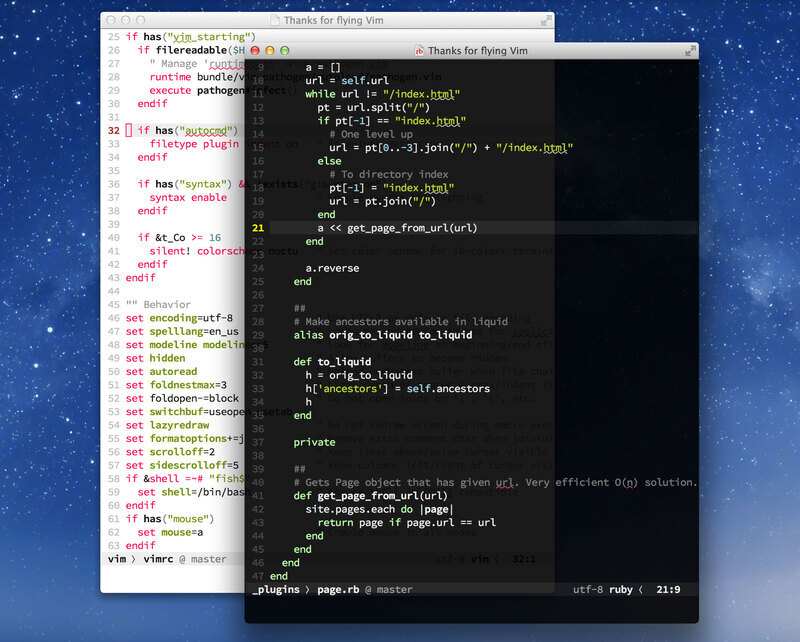
The dark and light themes running in MacVim
Features
- Two modes: one optimized for daytime, the other optimized for low light conditions
- Made to work with both GUIs (
gui) and 256-color terminals (cterm) - Provides harmonious colors and styles for all predefined UI elements and syntax groups
Usage
To install and use this color scheme, move the file hemisu.vim into your colors directory (e.g., ~/.vim/colors/).
The color scheme comes in two flavors, dark and light. To toggle between the two modes, set the background in Vim:
:set background=dark
:set background=light
To enable syntax highlighting and use the color scheme automatically when you start Vim, add the following to your .vimrc:
if &t_Co > 2 || has("gui_running")
syntax on
colorscheme hemisu
endif
License
Hemisu is made available under the Creative Commons Attribution-NonCommercial 3.0 Unported License.
See the link below for the repository on GitHub.com, which includes these instructions and the .vim file, and check out the dedicated page. Feel free to leave a comment to report any bugs you find or just to let me know you’re using it.